
14August 2026
Yes, in many cases, you can install a keyless entry system yourself.
As an Oakville-area handyman, I have installed dozens of keyless entry systems in everything from older century homes near downtown Oakville to newer builds in Joshua Creek and North Oakville. I have also been called to fix plenty of DIY installations that didn’t go as planned.
The physical installation of some keyless locks really is within the ability of a reasonably handy homeowner. If you have a standard modern door, a properly aligned deadbolt and a straightforward replacement lock, you may be looking at a relatively simple project.
But there is an important distinction I always make with homeowners:
Installing the lock is often easy. Installing the right lock on the right door is where things get complicated.
A smart lock cannot fix a sagging door, a poorly aligned strike plate or a damaged locking mechanism. In fact, those problems can make an electronic lock fail much faster.
Before you buy a keyless entry system, I recommend looking at the condition of your door first.
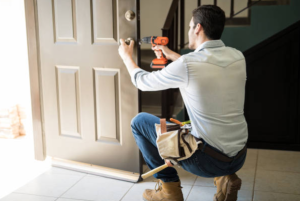
What Types of Keyless Entry Systems Can You DIY?
Not every keyless system presents the same level of difficulty. In my experience, there are three main categories homeowners should consider.
Retrofit Smart Locks
Retrofit systems are probably the most DIY-friendly option.
These systems mount on the inside of your existing door and operate the existing thumbturn automatically. The exterior deadbolt and key cylinder remain unchanged.
That means you generally aren’t drilling new holes or replacing the entire locking mechanism.
For a homeowner with a properly functioning existing deadbolt, this can be a very straightforward project. In many cases, all you need is a screwdriver and some patience.
I particularly like retrofit systems for situations where you don’t want to change the appearance of the outside of the door.
They can also make sense in certain condo situations where the homeowner or tenant isn’t permitted to alter the exterior hardware.
Keypad Deadbolts
A basic electronic keypad deadbolt is also a realistic DIY project for many homeowners.
These replace the existing deadbolt and allow you to enter a code instead of using a key. Some models operate entirely locally, without Wi-Fi or an internet connection.
If your door already has a standard deadbolt opening and everything lines up properly, installation is usually quite manageable.
The important word there is “properly.”
If your existing deadbolt requires you to push or pull the door to make it lock, don’t assume the new electronic lock will solve the problem. It probably won’t.
Wi-Fi and Bluetooth Smart Locks
Full smart locks add another layer of technology.
Depending on the model, you may get smartphone control, remote access, activity notifications, temporary access codes and smart-home integration.
The physical installation may not be much more difficult than installing a standard keypad deadbolt, but there are more things that can go wrong during setup.
You have to deal with batteries, Bluetooth, Wi-Fi connectivity, apps and sometimes integrations with other smart-home equipment.
I’ve also found that Wi-Fi distance can matter. If your front door is a long way from your router, you may end up dealing with unreliable connectivity and faster battery consumption.
For some homeowners, a simple keypad lock is actually the better solution.
My First Test: Does Your Existing Door Lock Smoothly?
Before you even take the old lock off, perform the test I use on my service calls.
Close the door normally and lock it.
The deadbolt should slide into the strike plate smoothly without you having to manipulate the door.
You shouldn’t have to:
- Lift the door by the handle
- Push the door inward
- Pull the door toward you
- Put your shoulder into it
- Hip-check the door
- Turn the key aggressively to force the deadbolt
I call this my “Butter Rule.”
Your deadbolt should move through the locking cycle as smoothly as butter.
If it doesn’t, fix the door before installing the smart lock.
This is probably the single most important piece of advice I can give someone considering a DIY keyless entry installation.
A human being can compensate for a slightly misaligned door. You naturally push the door, pull the handle or give the key a little extra force.
A small electric motor doesn’t think that way.
It encounters resistance and keeps trying to do the same job. That can result in motor strain, error messages, excessive battery consumption and eventually a failed lock.
The Most Common DIY Keyless Lock Mistakes I See
I’ve had plenty of calls that start with some variation of, “I tried upgrading my front lock and now the door is stuck.”
The same mistakes show up repeatedly.
Ignoring an Existing Door Problem
This is number one.
Homeowners sometimes assume the new lock will somehow compensate for an old door problem. It won’t.
If the hinges are sagging, the strike plate is misaligned or the door has warped, deal with that first.
In Ontario, this becomes particularly important because doors can behave differently as temperatures and humidity change throughout the year.
A door that works reasonably well in July may become noticeably tighter during a cold winter.
Overtightening the Mounting Screws
Another common mistake is treating the mounting screws like you’re assembling a piece of heavy machinery.
Don’t.
I prefer using a manual screwdriver when installing smart locks. Tighten everything securely, but don’t crank the screws down with excessive force.
The internal mounting components are not designed to be crushed into submission.
Overtightening can distort the mounting plate or cause internal components to bind.
If the lock operated smoothly before you tightened everything and suddenly becomes difficult to operate afterward, that’s a clue that something has been installed incorrectly or overtightened.
Getting the Backset Wrong
The backset is the distance from the edge of the door to the centre of the lock hole.
Many modern residential locks accommodate common backset dimensions, but you still need to make sure the latch is adjusted correctly before installation.
I’ve seen DIY door lock installations where the homeowner assumes the latch will automatically fit because the lock is advertised as “universal.”
It doesn’t hurt to measure first.
Pinching the Wires
Electronic locks often have a small cable connecting the exterior portion of the lock to the interior electronics or battery compartment.
That cable needs to be routed carefully.
If you trap it between the lock components or mounting plate, you can damage it when tightening the hardware.
It’s an easy mistake to make because everything can look perfectly aligned from the outside.
Installing the Tailpiece Incorrectly
The tailpiece is the flat metal component that transfers the movement of the lock into the deadbolt mechanism.
Depending on the particular lock, it needs to be positioned correctly during installation.
If it isn’t, you can end up with a lock that reports the wrong status or doesn’t operate the deadbolt properly.
This is one of those situations where actually reading the manufacturer’s instructions is much faster than trying to figure it out afterward.
A Real Oakville DIY Lockout
One of the more memorable calls I had involved a homeowner in the Clearview area.
They had purchased a high-end Wi-Fi smart lock and decided to install it themselves.
The house was a mid 1990s build with a heavy wood front door that had developed some sag over the years. The deadbolt opening in the frame was already slightly out of alignment.
Instead of correcting the door alignment first, the homeowner modified the opening to make the new lock fit.
They also used a power drill to tighten the mounting screws and ended up pinching the communication cable inside the lock.
The lock worked for several test cycles while they were standing inside with the door open.
That gave them confidence that everything was fine.
Then they went out for dinner.
When they returned, the colder weather had made the already-tight alignment even less forgiving. The motor encountered too much resistance and the lock failed.
The family was locked out in freezing weather.
I had to access the home through another entrance, remove the failed lock, correct the door alignment and repair the strike area before installing a temporary mechanical deadbolt.
What should have been a straightforward smart-lock upgrade turned into an emergency service call.
That’s exactly why I tell homeowners to test the door first.
When Should You Hire a Professional?
I am a big believer in homeowners doing work themselves when they’re comfortable with it.
There is nothing wrong with installing your own keypad lock.
But there are situations where I would strongly recommend putting down the screwdriver.
You Have a Multipoint Lock
Multipoint locking systems are common on some newer and higher-end doors.
Instead of one deadbolt, the mechanism can lock at several points around the door.
These systems are considerably more complicated than a standard residential deadbolt.
I would not recommend experimenting with a smart-lock conversion on a multipoint system unless you know exactly what hardware you’re dealing with.
A mistake can turn into an expensive repair.
You Have an Older Century Home
Some of the most beautiful doors I work on in Olde Oakville and around Kerr Village are also the doors I would be most reluctant to modify.
Older homes can have mortise locks, antique hardware and unusual door preparations that don’t match modern lock dimensions.
If you have an irreplaceable solid-wood door with historic hardware, don’t start drilling holes simply because the smart lock installation instructions show a standard modern deadbolt.
There may be a better retrofit solution that allows you to add modern convenience without destroying the original door.
You Have a Steel or Fiberglass Door
Wood is relatively forgiving.
Steel and fiberglass are different.
If a hole needs to be modified or relocated, you need the correct tools and technique. A bad cut can damage the door skin, finish or structure.
If you’re looking at significant modification rather than a straightforward replacement, this is where I would bring in someone experienced.
You Live in a Condo
Condo owners need to be especially careful.
Before changing the lock on a condo entry door, check your condo corporation’s rules and requirements.
There can be restrictions concerning exterior hardware, fire-rated doors and what modifications are permitted.
A retrofit system that leaves the exterior hardware untouched may be a much better option than replacing the entire lock.
Don’t assume that because you own the unit, you can automatically drill or modify the entry door.
Your Door Is Already Difficult to Lock
This is the biggest warning sign of all.
If you’re using two hands to get the deadbolt to lock, don’t install a smart lock yet.
Fix the door.
Depending on the problem, that might involve adjusting hinges, replacing or repositioning the strike plate, correcting the frame or addressing a warped door.
The lock is only part of the system. The door and frame have to work properly too.
Two Oakville Installations Where Professional Experience Made a Difference
Some of my favourite jobs are the ones where homeowners call me before they start drilling.
Those are the jobs where you can prevent a problem rather than repair one.
Joshua Creek: Catching a Door Alignment Problem Before Installation
A homeowner in Joshua Creek wanted a Schlage Encode installed on a newer front door.
The door looked perfect.
When I closed it, the latch engaged normally. At first glance, everything seemed fine.
But I always inspect the deadbolt and strike area before removing an existing lock.
I noticed fresh wood shavings around the strike plate.
That told me the door was making contact in an area it shouldn’t have been. The door had dropped slightly as the house settled.
A person could still lock the door because the key provided enough mechanical force to overcome the minor resistance.
The smart-lock motor wouldn’t have been nearly as forgiving.
Instead of installing the new lock and hoping for the best, I corrected the strike alignment first. I also addressed the hinge alignment so the door sat properly in the frame.
Once that was done, the new Schlage operated effortlessly.
That’s the difference between installing a lock and installing a lock properly.
Olde Oakville: Protecting a Historic Door
Another job involved a beautiful century home with a solid oak front door and an old mortise lock.
The homeowner wanted keyless entry for the family, particularly so the kids could get inside without carrying keys.
The obvious DIY solution would have been to remove the old hardware, fill the holes and drill the door for a modern keypad deadbolt.
I strongly advised against it.
That door had character that you simply can’t reproduce with a piece of replacement lumber.
Instead, I looked for a retrofit approach that would allow us to preserve the exterior appearance.
I serviced the existing mortise mechanism, cleaned and lubricated it, and used a compatible smart adapter on the interior.
The family got modern keyless access while keeping the original exterior hardware and the character of the door.
That’s one of my favourite examples of my general approach to handyman work:
Adapt the technology to the house instead of forcing the house to fit the technology.
Which Keyless Entry Brands Do I Trust?
I’ve installed enough locks over the years to develop some definite preferences.
Schlage
Schlage is one of the brands I am most comfortable recommending, particularly models such as the Encode and established mechanical keypad products.
I like the physical hardware.
In my opinion, a smart lock should start with a good lock and then add the technology.
I don’t want the electronics to be the best part of the product while the actual lock mechanism feels cheap.
August
August is one of my favourite choices when a retrofit makes sense.
The basic idea is straightforward: keep the existing exterior lock and automate the interior thumbturn.
For the right door, that can be a very clean solution.
Weiser
Weiser is also a practical option in the GTA.
It’s a common brand, which makes finding compatible hardware and replacement parts easier.
I also like the convenience of their SmartKey system on compatible models because homeowners can re-key the lock to match an existing key.
What About Cheap No-Name Smart Locks?
This is where I would be cautious.
I’ve been called to fix inexpensive electronic locks that looked like a great deal when the homeowner bought them.
The problem is that the purchase price isn’t the total cost of ownership.
If a cheap internal motor or gear fails, or the manufacturer stops supporting the app, you’ve got a problem.
I would rather spend more money on a reputable lock with solid physical hardware than save money on something that may become unreliable after a relatively short period.
For an entry door, I don’t think this is the place to chase the absolute lowest price.
Ontario Weather Matters More Than People Think
A keyless entry system installed on an Oakville home has to deal with Ontario weather.
We go from hot, humid summers to freezing winter temperatures.
Doors also move.
Wood expands and contracts. Frames shift slightly. Weatherstripping changes. Hinges can develop play.
A tiny amount of movement might not bother a person turning a mechanical key.
It can matter a lot to an electronic motor.
This is another reason I put so much emphasis on proper door alignment.
If your lock is already operating right at the edge of what is acceptable, seasonal movement can push it over the line.
Don’t Forget the Backup Entry Method
Convenience should never come at the expense of having a reliable way into your house.
Technology can fail.
Batteries die. Electronics malfunction. Apps stop communicating. Wi-Fi goes down.
I prefer keyless systems that still provide a dependable physical backup, or a home where there is another reliable method of entry.
Before you install a keyless lock, ask yourself:
“What happens if the batteries die while I’m standing outside?”
Have an answer before installation day.
My Five Golden Rules for DIY Keyless Entry
If you’re considering installing a keyless entry system yourself, these are the five rules I would want you to remember.
1. Test the Door Before You Buy the Lock
The deadbolt should operate smoothly.
If it doesn’t, fix that problem first.
Remember my Butter Rule: if the deadbolt doesn’t move like butter, you’re not ready for a smart lock.
2. Match the Lock to Your Home
Don’t buy a lock simply because it’s popular.
Think about your door, your home and how you actually use the entrance.
A retrofit may be better than a complete replacement.
A simple keypad may be better than a Wi-Fi lock.
A historic door may require a completely different approach.
3. Respect Ontario Weather
Choose hardware that can handle the environment.
I would rather see a homeowner spend more on a well-built lock than replace a cheap electronic lock every couple of years.
4. Always Have a Backup Plan
Don’t make a smart lock your only possible method of getting into the house unless you have a reliable contingency.
Technology is convenient, but mechanical backup still has value.
5. Put Down the Power Drill When the Job Stops Being Simple
For a straightforward lock replacement, DIY can make sense.
But if you suddenly find yourself drilling new holes in an expensive door, modifying a steel or fiberglass door, trying to understand a multipoint locking system or fighting a badly aligned frame, stop.
Calling a handyman at that point can be much cheaper than calling one after you’ve damaged the door.
So, Can You Install a Keyless Entry System Yourself?
Absolutely—if you have a standard door, an appropriate lock and a deadbolt that already operates smoothly.
A basic keypad deadbolt or retrofit smart lock can be a very reasonable DIY project.
But don’t confuse an easy installation with an easy problem.
The most important part of the job happens before you install the lock.
Check the door.
Check the hinges.
Check the strike plate.
Check the backset.
Make sure the deadbolt moves smoothly.
Then choose the keyless system that fits your home rather than trying to make your home fit the latest smart-lock trend.
After installing dozens of these systems around Oakville, I’ve learned that the best smart-lock installation is usually the one where the homeowner spends a little more time diagnosing the door before touching the screwdriver.
And if you find yourself having to push, pull, lift or hip-check the door to get the old deadbolt to lock, that’s your warning.
Fix the door first. Then install the technology.